

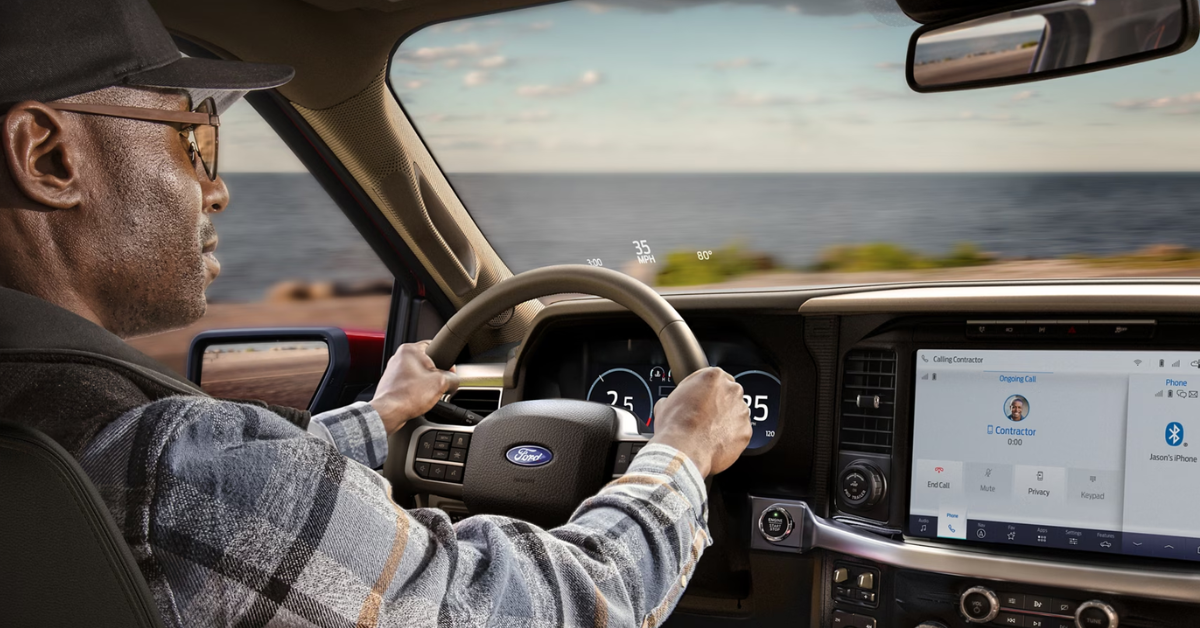
Is FordPass worth it in 2025? For many Ford drivers in Lancaster, Palmdale, Antelope Valley, and Mojave, the answer is a clear yes. FordPass offers a powerful set of tools that connect you to your vehicle like never before, whether you drive an F-150, Bronco, or Mustang. From remote start and lock controls to real-time vehicle health monitoring, location tracking, and access to FordPass Rewards, this app transforms how you manage your Ford ownership.
While many features come free with your compatible vehicle, some advanced services may require activation or subscription. This guide breaks down everything you need to know about FordPass in 2025, including how to get started, what to expect, and how it can enhance your daily drive. If you’re ready to experience seamless connectivity and convenience with your Ford, visit or contact Diamond Ford today—your local source for Ford expertise in the Antelope Valley region.
What is FordPass and How Does It Work with Ford Vehicles?
FordPass is a free smartphone app designed to connect you directly to your Ford vehicle. Whether you own an F-150, Bronco, or Mustang, FordPass helps you control and monitor your vehicle from your phone.
The app works best when paired with FordPass Connect — a modem built into most 2020 and newer Ford models. This modem allows your vehicle to communicate with the app in real time.
Here’s what you need to know about FordPass:
- FordPass App Download: You can get the app on both iOS and Android devices. For Android users, searching for “My Ford App for Android” will guide you to the official download.
- FordPass SmartLink Features: The app lets you start your engine remotely, lock or unlock doors, and check your vehicle’s status no matter where you are.
- Is FordPass Free?: The core app and many remote features come free with compatible vehicles. Some advanced services might require a subscription.
- Compatible Vehicles: Models like the F-150, Bronco, and Mustang typically include FordPass Connect, letting you unlock the full range of app features.
- Easy Activation: Simply download the app, pair your vehicle using your VIN or QR code, and start using the app right away.
FordPass gives you control and peace of mind, making it easier to manage your Ford truck or SUV. Whether you want to check tire pressure or warm up your Bronco on a cold morning, FordPass puts that power in your hand.
What Key Features Does FordPass Offer for Ford Owners in 2025?
FordPass offers many helpful features for owners of Ford vehicles like the F-150, Bronco, and Mustang. These tools make it easy to stay connected and control your vehicle from your phone.
Here are some key features you can use with the FordPass app:
- Remote Vehicle Control: Start or stop your engine, lock or unlock doors, and even turn on the climate control—all from your smartphone.
- Vehicle Health Monitoring: Check fuel level, tire pressure, oil life, and get alerts about maintenance or issues before they become big problems.
- Location Tracking: Find your parked vehicle quickly using GPS, which is handy in busy parking lots or unfamiliar areas.
- FordPass Rewards: Earn points on service and parts. Redeem these points for discounts at your local dealer.
- 24/7 Roadside Assistance: Get help fast in emergencies by contacting roadside assistance directly through the app.
- Connected Services: Activate and manage features like BlueCruise or Wi-Fi hotspots through FordPass Connect.
- Phone as a Key: Use your phone instead of a key fob to unlock and start your vehicle on compatible models.
To start using these features, simply complete the FordPass app download on your smartphone. Android users can find it by searching “My Ford App for Android.” Best of all, FordPass is free to use with most new Ford vehicles, giving you smart control without extra cost.
These tools enhance your daily drive, whether you’re behind the wheel of a rugged F-150, an adventurous Bronco, or a sleek Mustang.
How Do You Get Started with FordPass?
Getting started with FordPass is simple. Whether you drive an F-150, Bronco, or Mustang, the process is quick and easy.
Here’s how to set up the FordPass app and connect your vehicle:
- Download the App: Search for FordPass app download in your phone’s app store. Android users can look for “My Ford App for Android.”
- Create an Account: Open the app and sign up with your email or log in if you already have an account.
- Add Your Vehicle: Enter your vehicle’s VIN or scan the QR code found in your vehicle to link it to your app.
- Activate FordPass Connect: Most newer Ford models like the F-150, Bronco, and Mustang have FordPass Connect built in. Activate it by following the app’s instructions and confirming the pairing on your vehicle’s screen.
- Start Using FordPass Features: Once paired, you can use remote start, lock/unlock, check vehicle health, and more—all from your phone.
Is FordPass free? Yes. The app and many features come at no cost with your compatible Ford vehicle. Some premium services may require a subscription, but the basic tools are included.
With FordPass set up, managing your Ford becomes easier and more convenient, whether you are in Lancaster, Palmdale, or nearby.
Are There Any Costs or Limitations to Be Aware Of with FordPass?
Many features of the FordPass app come at no extra charge. However, some services may involve costs or limits. It’s important to know what is free and what is not.
Here are the key points to keep in mind:
| What is Free | Possible Costs or Limits |
| Core app functions like remote start and lock/unlock | Some advanced features require a subscription or one-time fee |
| Basic vehicle health monitoring | Trial periods for certain connected services may expire |
| FordPass app download and account setup | Cellular data fees may apply for features using FordPass Connect |
| FordPass rewards program access | Coverage depends on your phone’s network and vehicle modem activation |
Keep these limitations in mind, especially if you drive models like the F-150, Bronco, or Mustang:
- Some connected services start with a free trial after your vehicle’s original sale date.
- After the trial, a subscription fee may apply to keep using these features.
- The app’s performance depends on good cellular signal in your area. Remote features need active network coverage.
- Different vehicle trims and model years may support different features within FordPass.
If you’re wondering, is FordPass free? — the answer is yes, for most basic tools. But some advanced options can cost extra.
Understanding these points helps you get the most from FordPass while avoiding surprises. This way, you can enjoy seamless control whether you’re driving in Lancaster, Palmdale, Antelope Valley, or Mojave.
How Does FordPass Enhance the Driving Experience for Owners?
FordPass helps make driving your Ford easier and more fun. Whether you drive an F-150, Bronco, or Mustang, the app adds value every day.
Here are some ways FordPass improves your experience:
- Remote Control: Start your engine or unlock your doors before you get in. This is handy on cold mornings or hot afternoons.
- Vehicle Health Alerts: Get updates on fuel, tire pressure, and oil life. This helps keep your vehicle in top shape.
- Phone as a Key: Use your phone to unlock and start your vehicle—no need for a key fob.
- Trailer Checklists: For F-150 owners, the app offers step-by-step checklists to prepare your trailer safely.
- Theft Protection: Receive alerts if your vehicle is moved or tampered with. Track it through the app for added peace of mind.
- Connected Services: Manage advanced features like BlueCruise or Wi-Fi hotspots through FordPass Connect.
Using the FordPass app means you stay in control, even when you’re away from your truck or car. For those who ask, is FordPass free? many functions are, making it a smart choice.
If you haven’t yet, try a quick FordPass app download on your phone. Android users can find it as “My Ford App for Android.” Once connected, your driving life will feel more connected and convenient than ever before.
How to Download and Set Up the FordPass App on Your Android or iOS Device?
Getting the FordPass app on your phone is quick and easy. Whether you drive an F-150, Bronco, or Mustang, the setup process is the same. Follow these steps to get started:
- Find and Download the App: For iPhone users, open the App Store and search for “FordPass.” For Android users, search for “My Ford App for Android” in the Google Play Store.
- Install and Open the App: Once downloaded, open the app to begin setup.
- Create or Log in to Your Account: You’ll need to sign up with your email or log in if you already have an account.
- Add Your Vehicle: Enter your vehicle’s VIN or scan the QR code found in your vehicle to connect it with the app.
- Activate FordPass Connect: Follow the on-screen steps to pair your vehicle’s modem. This is needed for full app control.
Is FordPass free? Yes, the app and many of its features come at no cost with most Ford vehicles.
Once set up, you can use FordPass to start your vehicle, check fuel levels, or find your parked car. The app gives you control right from your phone, no matter where you are.
How Does FordPass Connect Improve Vehicle Security and Convenience?
FordPass Connect is a built-in modem in many Ford vehicles like the F-150, Bronco, and Mustang. It links your vehicle to the FordPass app, giving you greater control and peace of mind.
Here’s how it boosts security and convenience:
- Real-Time Vehicle Tracking: Know where your vehicle is at all times. If it’s moved without your permission, you’ll get an alert.
- Theft Protection Alerts: Receive instant notifications if someone tries to break in or tamper with your vehicle.
- Remote Lock and Unlock: Lock or unlock your doors from anywhere using the app, so you never worry about leaving your vehicle unsecured.
- Phone as a Key: Use your phone instead of a key fob to unlock and start your car, making access quick and easy.
- Wi-Fi Hotspot Access: Connect up to 10 devices on the go, keeping your passengers connected during trips.
- Over-the-Air Updates: FordPass Connect allows your vehicle to receive software updates without visiting a dealer.
Wondering if FordPass is free? The app and many basic features are free with your vehicle. Some advanced services may require a subscription.
To get started, complete your FordPass app download on your phone. Android users can search “My Ford App for Android.” Once connected, your vehicle’s security and convenience will reach a new level.
Is FordPass worth using in 2025?
Yes. FordPass offers free remote controls, vehicle health monitoring, location tracking, and rewards. It improves convenience and safety for owners of compatible vehicles like the F-150, Bronco, and Mustang.
What features are included with FordPass?
FordPass includes remote start, lock/unlock, climate control, vehicle health alerts (fuel, tire pressure, oil life), location tracking, FordPass Rewards, 24/7 roadside assistance, and access to connected services through FordPass Connect.
Does FordPass require a subscription?
The core app and many remote features are free with compatible Ford vehicles. Some advanced services require a subscription or trial period that may end, after which fees apply.
Can FordPass help with remote vehicle functions?
Yes. FordPass lets you start your engine, lock and unlock doors, and control climate settings remotely from your smartphone or smartwatch.
How does FordPass compare to other automaker apps?
While exact comparisons vary, FordPass offers a broad set of free remote controls and vehicle monitoring features. It also supports advanced services like BlueCruise and Wi-Fi hotspots, giving it a strong edge for Ford owners.
Buy Your Next Ford Car or Truck at Diamond Ford Today
If you live in Lancaster, Palmdale, Antelope Valley, or Mojave, we invite you to visit Diamond Ford. Our wide selection includes popular models like the F-150, Bronco, and Mustang. Whether you want a rugged truck or a sporty SUV, we have the right Ford for you.
For more details about Ford vehicles and to see how they compare, check out our helpful guides. You can explore how the 2025 Ford Escape ST-Line Select stacks up against the ST-Line Elite, or how it compares to rivals like the Hyundai Tucson XRT and Mazda CX-5 Signature. These guides can help you make a smart choice.
Start your search today by browsing our full lineup here: new Ford vehicles for sale. If you want to learn more about how FordPass fits into your driving experience, contact us at Diamond Ford. Our team is ready to help you find the perfect vehicle and get the most from Ford’s smart technology.
Get Directions to Diamond Ford
Disclaimer: All information is provided for general informational and entertainment purposes only. While we strive for accuracy, we cannot guarantee that all content is complete, current, or error-free. Any reliance you place on such information is strictly at your own risk. This article may include opinions and is not endorsed by, or officially affiliated with, any vehicle manufacturer or brand. Always consult official sources – such as the vehicle’s owner’s manual, authorized dealerships, or certified professionals – for the most up-to-date and personalized information.
Connect with us


Warning: Operating, servicing and maintaining a passenger vehicle or off-road vehicle can expose you to chemicals including engine exhaust, carbon monoxide, phthalates, and lead, which are known to the State of California to cause cancer and birth defects or other reproductive harm. To minimize exposure, avoid breathing exhaust, do not idle the engine except as necessary, service your vehicle in a well-ventilated area and wear gloves or wash your hands frequently when servicing your vehicle. For more information go to www.p65warnings.ca.gov/passenger-vehicle.